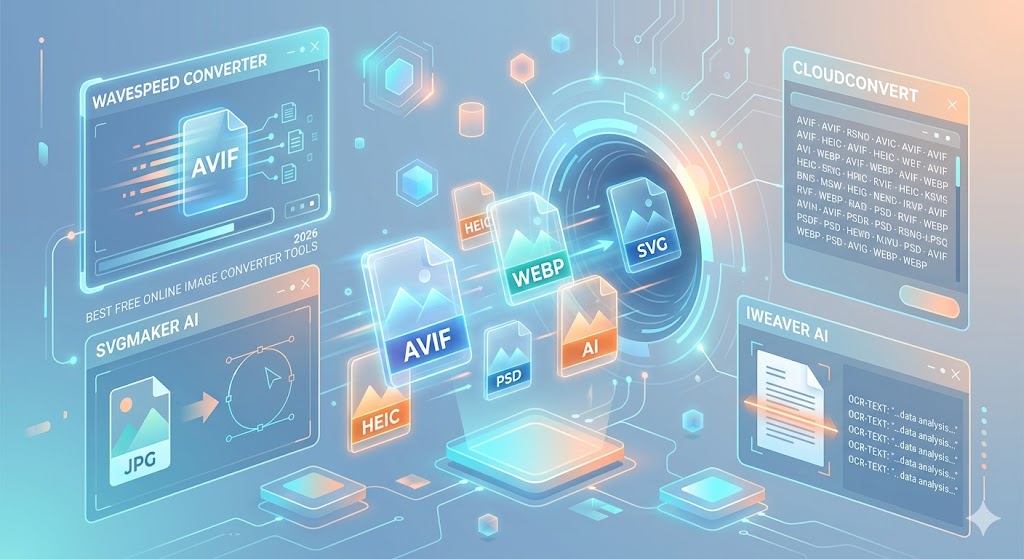
The digital landscape of 2026 is faster, more visual, and more format-dependent than ever. Whether you're a web developer trying to shave milliseconds off load times with AVIF, a social media manager prepping high-res PNGs, or an iPhone user struggling with HEIC compatibility, having the right conversion tool in your bookmarks is a necessity.
Gone are the days of downloading clunky software or dealing with watermarked results. Today’s web-based converters leverage browser-side processing and AI to offer professional-grade results for free. Here is our curated guide to the best free online image converter tools in 2026.
1. WaveSpeed Image Converter: The "No-Nonsense" Leader
In 2026, WaveSpeed has emerged as the gold standard for users who value speed and privacy above all else. It is a cloud-based powerhouse that handles everything from legacy BMPs to the latest high-efficiency formats.
-
Best For: Fast, unlimited cloud processing.
-
Key Features:
-
No sign-up or installation required.
-
Supports modern formats: WebP, AVIF, HEIC, and HEIF.
-
Maintains original metadata and color profiles.
-
-
The Verdict: If you need to convert a file in under 10 seconds without jumping through hoops, this is your first stop.
2. SVGMaker: The Designer’s Secret Weapon
For those working in UI/UX or web design, SVGMaker isn't just a converter—it’s a optimization tool. While its name suggests a focus on vectors, it has evolved into a robust multi-format hub.
-
Best For: Web-friendly graphics and vectorization.
-
Unique Edge: It includes an AI-powered SVG converter that can turn a standard raster image into a scalable vector using simple text prompts or direct conversion.
-
Standout Feature: Extremely clean output for responsive layouts, ensuring that logos and icons stay crisp at any resolution.
3. CloudConvert: The Swiss Army Knife
CloudConvert remains a staple in 2026 because of its sheer versatility. It supports over 200+ formats, which is ideal if you are dealing with obscure file types that other tools might reject.
-
Best For: Complex workflows and rare formats.
-
Pro Tip: Use CloudConvert if you need to extract layers from a PSD (Photoshop) file or convert a multi-page TIFF into individual JPEGs.
-
Integration: It offers seamless integration with Google Drive and Dropbox, making it the best choice for remote teams.
4. iWeaver AI: More Than Just Pixels
The "Image Converter" category in 2026 now includes powerful Image-to-Text (OCR) capabilities. iWeaver AI stands out for its ability to understand context rather than just characters.
-
Best For: Converting images of documents, handwriting, or tables into editable text.
-
Performance: It boasts a 99% accuracy rate on clean documents and uses AI to correct smudges or curved text on photographed pages.
-
Output: You can export your results directly to Word, PDF, or TXT.
Quick Comparison Table: Top Tools at a Glance
| Tool | Primary Strength | Ideal User | Mobile Friendly? |
| WaveSpeed | Speed & Privacy | General Users | Yes |
| SVGMaker | AI-SVG Conversion | Designers/Devs | Yes |
| CloudConvert | Format Variety | Professionals | Yes |
| iWeaver AI | OCR Accuracy | Students/Office | Yes |
| Fotto.ai | Ad-Free Experience | Bloggers | Yes |
5. Fotto.ai: The Ad-Free Minimalist
One of the biggest frustrations with free tools is the barrage of "Download" ads that look like buttons. Fotto.ai solves this with a clean, 100% ad-free interface.
-
Why we love it: It specializes in "Web Optimization." If you have a massive PNG and need a lightweight WebP for your blog, Fotto.ai handles the compression and conversion simultaneously without any visible quality loss.
-
Limit: There is no account needed, and there are virtually no file size limits for standard web formats.
6. Adobe Express: The Trusted Basic
For those who want the reliability of a big brand, Adobe Express offers free online conversion tools. While it doesn't support the obscure formats CloudConvert does, it is incredibly polished for standard JPG-to-PNG tasks.
-
Best For: Quick edits before conversion.
-
The "Adobe" Bonus: You can remove the background or apply basic filters before you hit the "Convert" button, saving you a trip to a dedicated photo editor.
Essential 2026 Format Guide
Understanding which format to convert to is just as important as the tool you use. Here is the 2026 cheat sheet:
-
AVIF: Use this for web images. It offers the best compression-to-quality ratio currently available.
-
HEIC: The Apple standard. Great for storage, but convert it to JPG if you’re uploading to older websites or Windows-based systems.
-
WebP: The safe middle ground for web transparency. It’s more widely supported than AVIF but much smaller than PNG.
-
SVG: Use for logos. Since it’s code-based, it can scale to any size without becoming "pixelated."
Pro Tips for Better Conversions
To ensure you get the best results every time you use a free online tool, keep these three rules in mind:
-
Check for "Lossless" Options: If you are converting a photo for print, ensure the tool doesn't automatically compress the file. Look for TIFF or PNG output to keep every pixel intact.
-
Privacy First: For sensitive documents (ID cards, legal papers), use tools like WaveSpeed or HowToConvert that process files locally in your browser rather than uploading them to a remote server.
-
Batch Processing: If you have 50 photos from a vacation, don't do them one by one. Tools like XnConvert (web version) allow you to drag an entire folder and convert them in one click.
Final Thoughts
In 2026, you don't need a high-end PC or expensive software to manage your media. The tools listed above provide professional results with the convenience of a browser tab. Whether you're looking for the AI power of SVGMaker or the pure speed of WaveSpeed, there is a free solution ready to handle your next project.